




































Creating a MongoDB Database
This page covers the configuration specific to MongoDB — its Database Mode and any engine-specific settings shown below. The rest of the creation flow — opening the wizard, namespace and name, version, machine profile, storage, and optional features — is the same for every engine and is documented in Common Steps.
Database Mode
Select the topology under Database Mode. Three modes are available:
- Standalone — A single-node database without high availability or sharding. Best for development or low-traffic workloads.
- Replicated Cluster — A MongoDB ReplicaSet for high availability.
- Sharded Cluster — A fully sharded MongoDB cluster for high performance and high availability.
Replicated Cluster
When Replicated Cluster is selected, two additional fields appear:
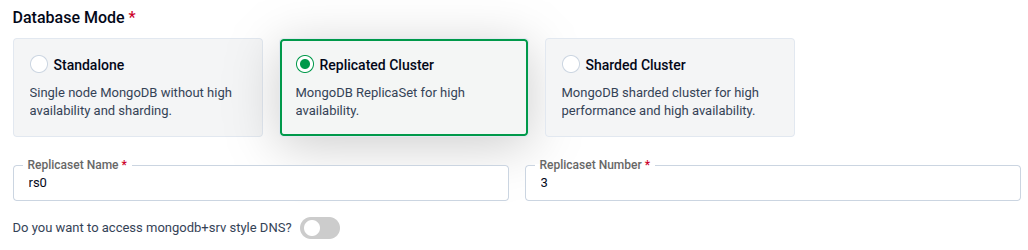
| Field | Description |
|---|---|
| Replicaset Name | The name for the replica set (e.g., rs0). Required. |
| Replicaset Number | The number of replica members (e.g., 3). Required. |
| mongodb+srv style DNS | Toggle on to advertise externally reachable per-pod endpoints so clients can connect with a mongodb+srv connection string. Available only for Replicated Cluster mode, and only when the database has TLS and gateway exposure enabled — see mongodb+srv Style DNS. |
Sharded Cluster
When Sharded Cluster is selected, three subsections appear — Shard Nodes, Config Server, and Mongos — each configurable independently.
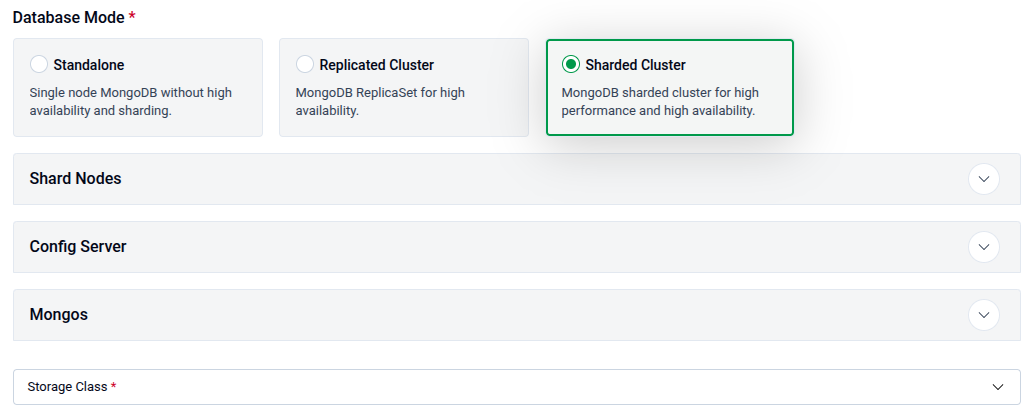
Shard Nodes — Configure how MongoDB data is partitioned, replicated, and resourced across your cluster.
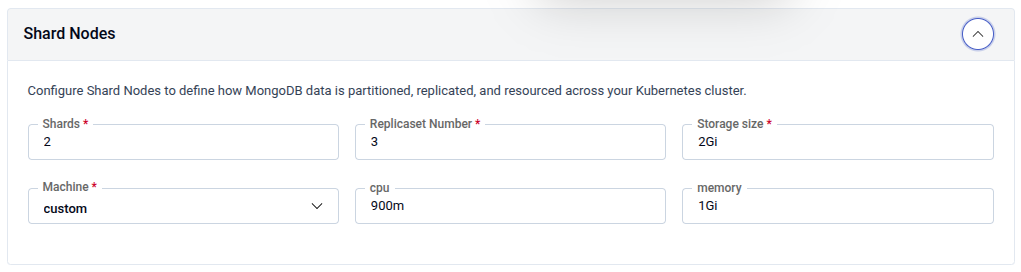
| Field | Description |
|---|---|
| Shards | Number of shard partitions (e.g., 2). Required. |
| Replicaset Number | Number of replicas per shard (e.g., 3). Required. |
| Storage size | Disk size per shard node (e.g., 2Gi). Required. |
| Machine | Preset machine profile or custom for manual CPU/memory. |
| CPU | CPU request per shard node (e.g., 900m). |
| Memory | Memory request per shard node (e.g., 1Gi). |
Config Server — Stores metadata about the sharded cluster including chunk distribution and shard configuration. Must run as a replica set.
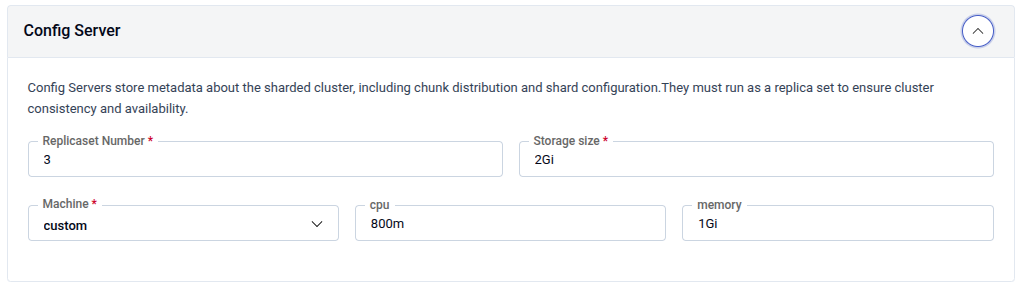
| Field | Description |
|---|---|
| Replicaset Number | Number of config server replicas (e.g., 3). Required. |
| Storage size | Disk size per config server node (e.g., 2Gi). Required. |
| Machine | Preset machine profile or custom. |
| CPU | CPU request (e.g., 800m). |
| Memory | Memory request (e.g., 1Gi). |
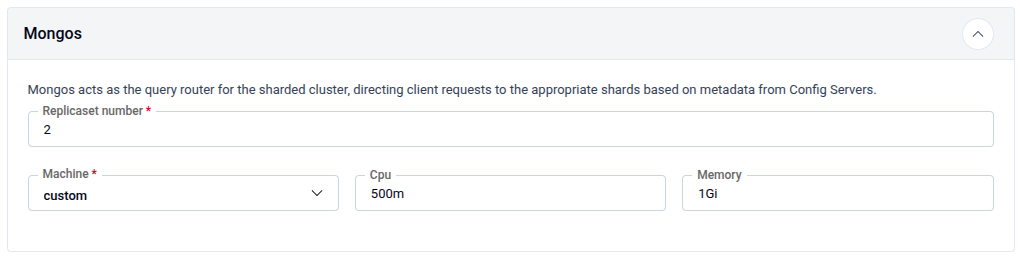
Mongos — Acts as the query router for the sharded cluster, directing client requests to the appropriate shards based on metadata from Config Servers.
| Field | Description |
|---|---|
| Replicaset number | Number of Mongos router instances (e.g., 2). Required. |
| Machine | Preset machine profile or custom. |
| CPU | CPU request (e.g., 500m). |
| Memory | Memory request (e.g., 1Gi). |
mongodb+srv Style DNS (Replicated Cluster Only)
What this is for. A
mongodb+srv://connection string lets a client discover every replica set member from a single DNS SRV record instead of listing each host. To make that work from outside the cluster, every member must advertise an externally reachable address (this is MongoDB’s horizon mechanism). The mongodb+srv style DNS toggle on the Replicated Cluster form configures those per-pod addresses.
This applies only when you intend to reach a Replicated Cluster MongoDB from outside Kubernetes with a mongodb+srv connection string. If you only connect from within the cluster, use Standalone/Sharded Cluster mode, or connect with a standard mongodb:// string, leave it off.
Prerequisites — the toggle only takes effect when both are enabled (see Additional Options):
- TLS on the database (upstream TLS). MongoDB requires TLS for SRV-based horizon connections.
- Expose via Gateway, so the members are reachable from outside the cluster.
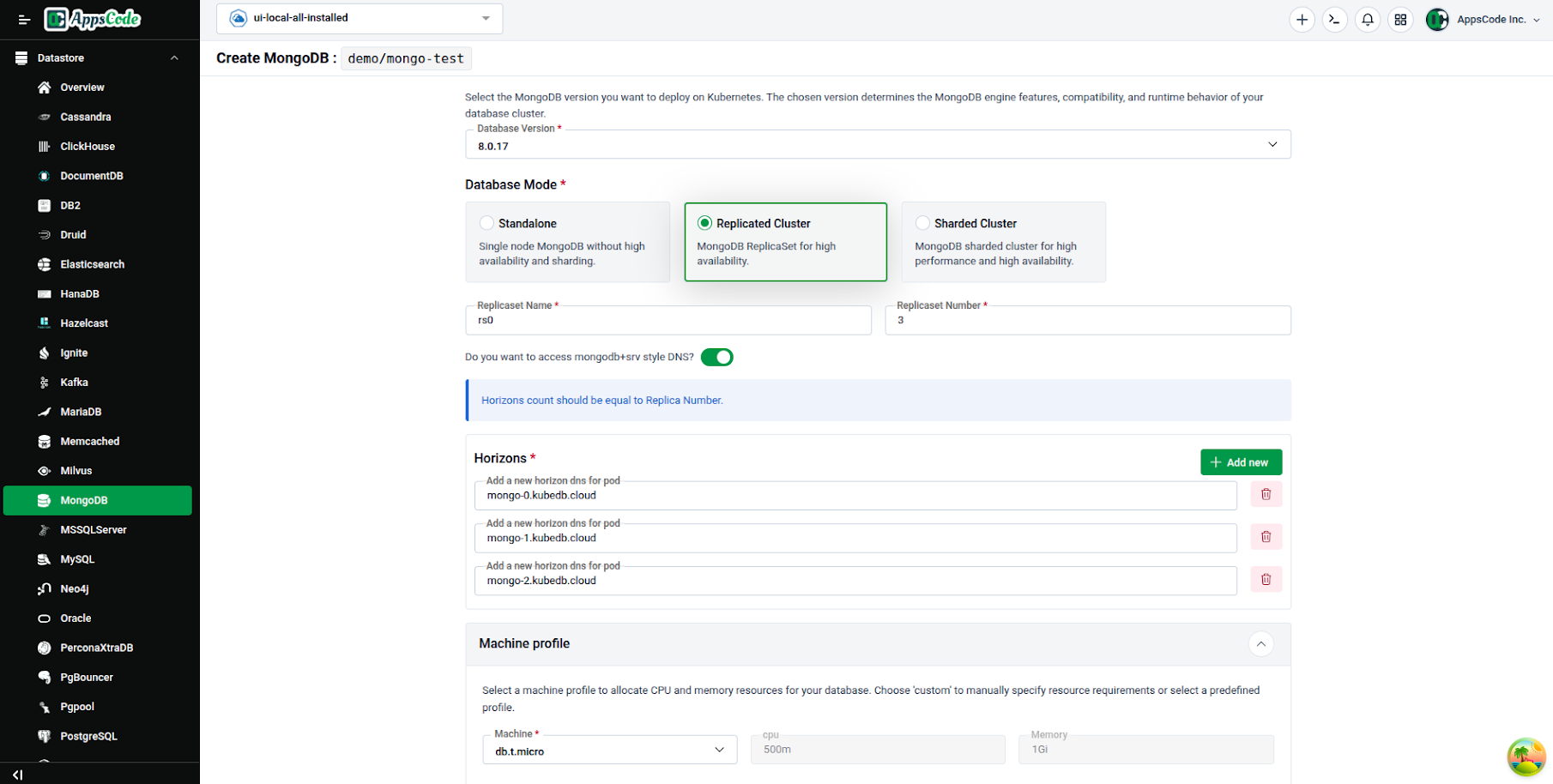
Turn on mongodb+srv style DNS to reveal the endpoints panel:
| Field | Description |
|---|---|
| SRV DNS Endpoints | One entry per replica set member, in pod order (member 0, member 1, …). Each entry is the externally reachable endpoint that pod should advertise. The number of entries must match the Replicaset Number set above. Use + Add new to add an entry. |
The endpoints you enter must resolve to the externally reachable address of the exposed database and must be covered by the TLS certificate’s SANs.
DNS records you must create
The mongodb+srv:// scheme is pure DNS discovery — the platform advertises the endpoints, but you must create the matching records in your DNS zone (for a replica set rs0 on domain example.com):
| Record | Example | Why it’s needed |
|---|---|---|
| A / CNAME — one per member | mongo-0.example.com → <endpoint> (repeat for each member) | Each SRV DNS Endpoint you entered must resolve to the member’s externally reachable address. Use A for a fixed IP, CNAME to alias a managed hostname. |
| SRV — one per member, same name | _mongodb._tcp.example.com IN SRV 0 0 <port> mongo-0.example.com. | This is what the driver queries first: connecting to mongodb+srv://example.com returns all members (host + port) so the client discovers the full replica set from one name. |
| TXT — one, same name | example.com IN TXT "replicaSet=rs0&authSource=admin" | The SRV scheme requires a TXT record alongside the SRV to carry options that don’t fit in SRV fields; the driver auto-appends replicaSet/authSource so the app never hardcodes them. |
Verify before relying on it: dig SRV _mongodb._tcp.example.com and dig TXT example.com.
Additional MongoDB Options
| Field | Description |
|---|---|
| Arbiter | Toggle on to add an arbiter member (votes in elections but stores no data). Configure its pod resources. |
| Hidden Node | Toggle on to add hidden replica members (replicate data but are invisible to clients). Set Replicas, resources, and storage. |
| HostName / IP | Optional host name and IP used to build the connection string and certificate SANs. |
Create a MongoDB Database
- Open the wizard and select MongoDB — see Getting Started and Select a Database Type.
- Set the namespace and name.
- Pick the database version and the Database Mode described above, then set the machine profile and storage — see Configure the Database. For Replicated Cluster mode, configure mongodb+srv style DNS if you’ll connect with a
mongodb+srvstring from outside the cluster. - Optionally configure Advanced Configuration (labels, deletion policy, credentials, point-in-time recovery) and Additional Options (monitoring, backup, TLS, gateway).
- Click Deploy.